A request comes in from the website
Before a manager copies the name and phone from an email into the CRM.
After the request itself becomes a lead or a deal in KeepinCRM the moment it is sent.
 CRMUA
CRMUALeads, deals and tasks live in KeepinCRM? We connect it to everything else your business runs on
KeepinCRM is a Ukrainian CRM where a company keeps its clients, deals, tasks, price list, warehouse and finances. It already has ready connections for delivery and calls, but part of the work often stays manual: requests from a new website, data for accounting, reports for the owner, moving an old client base in. We connect KeepinCRM to the services you use so information moves between them on its own and managers stop copying it by hand.
Before a manager copies the name and phone from an email into the CRM.
After the request itself becomes a lead or a deal in KeepinCRM the moment it is sent.
Before the client base lives in a spreadsheet and has to be typed in by hand.
After the file is prepared to KeepinCRM's template and loaded in one go, and a second upload updates records instead of doubling them.
Before a manager messages the warehouse or accounting to let them know.
After KeepinCRM passes the change to the right service itself, and the next step starts on its own.
Before someone exports data and builds the table by hand every week.
After deals, tasks and payments are pulled from KeepinCRM automatically into the report the owner already reads.
For those who want to check: each point links to the official documentation page it comes from.
API requests are authorised with a personal API key sent in the X-Auth-Token header.
Source: keepincrm.com ↗ checked 2026-09-29The public REST API covers clients and leads, deals (orders), tasks, finances, price-list products, warehouse materials and stock, contractors, deliveries, branches, sources and employees.
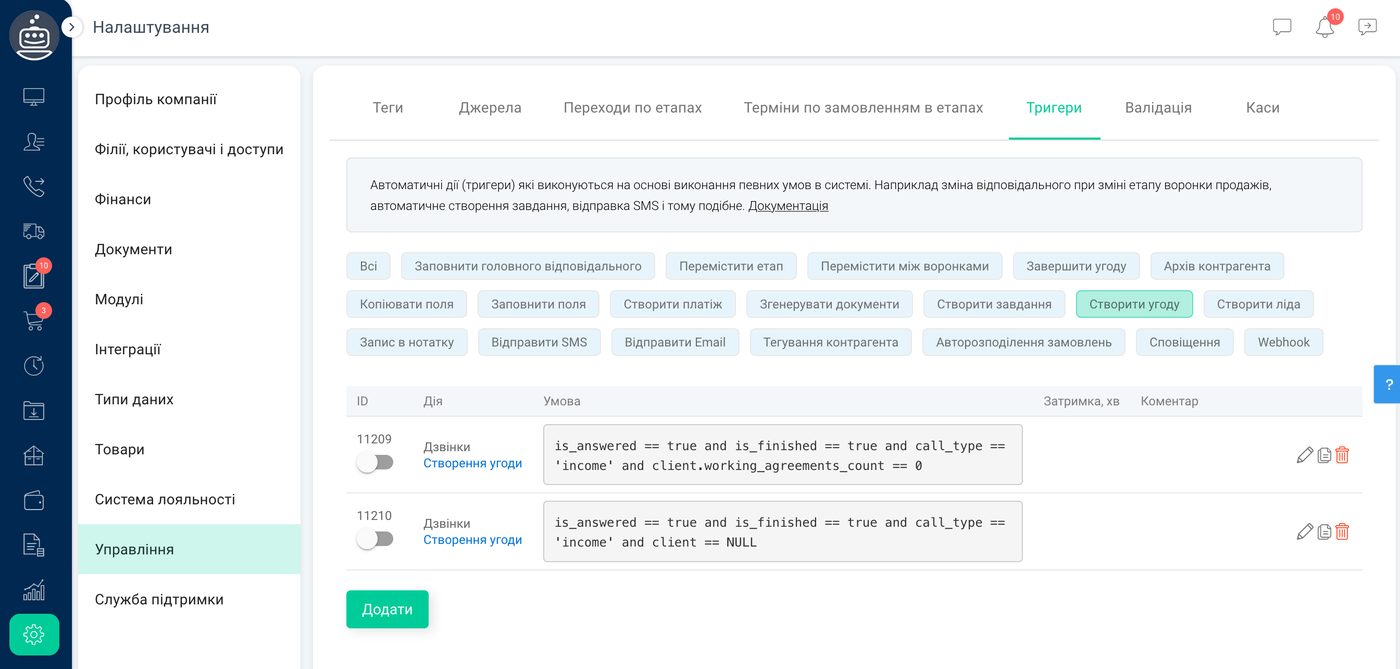
Source: api.keepincrm.com ↗ checked 2026-09-29An incoming webhook can create a counterparty (lead or client), a deal or a task from another service's data; outgoing webhooks are sent by triggers.
Source: keepincrm.com ↗ checked 2026-09-29Clients are imported from an XLSX template; on a repeat import, matches are found by company name, contact person or phone numbers so duplicates aren't created.
Source: keepincrm.com ↗ checked 2026-09-29The native Binotel integration lets managers take and make calls right inside KeepinCRM.
Source: keepincrm.com ↗ checked 2026-09-29The native Nova Poshta integration creates shipping labels (TTN) right inside KeepinCRM.
Source: keepincrm.com ↗ checked 2026-09-29The API allows up to 100 requests a minute per key. An account can have only one API key, and only the user who registered the account can create it. Access to the open interface depends on the KeepinCRM plan, so we check it with you before starting.
Three steps from a first message to work on your project.
Describe the task in the form — in text or by voice. Budget and timing are optional.
A developer studies the brief, asks about anything unclear and sends an estimate.
Once scope and price are agreed, the work begins.
or write to info@coreviaflow.space
Describe the task in text or a voice message. We look at your setup and reply with a plan.
Four services people come to us for most often. Each page explains what we do, how the work goes and where to start.
Choose the system, set up the pipeline, migrate data, train the team.
Learn more →Accounting, telephony, website, payments and messengers feed the CRM on their own.
Learn more →Orders, requests and answers around the clock, straight into your CRM.
Learn more →Flows between CRM, email, spreadsheets, payments and AI, on your own server.
Learn more → CRMUA
CRMUAUkrainian CRM that pulls orders from your site, marketplaces and chat apps into one pipeline
See scenarios → CRMUA
CRMUAThe CRM built for order-taking: every lead from every channel lands in one place on its own
See scenarios → Warehouse & DeliveryUA
Express waybills created from the order itself, and delivery statuses that come back into the CRM on their own
See scenarios → IP telephonyUA
IP telephony with ready-made CRM links and one-click calling
See scenarios → Automation & workspaceUS
Deals, payments and stock from the CRM land in the Excel workbook your team already lives in, and rows added in Excel come back into the CRM.
See scenarios → CRMUA
CRMUADeals, calls and documents move through Bitrix24 on their own, tracked step by step
See scenarios →Implementation · Development · Integrations →
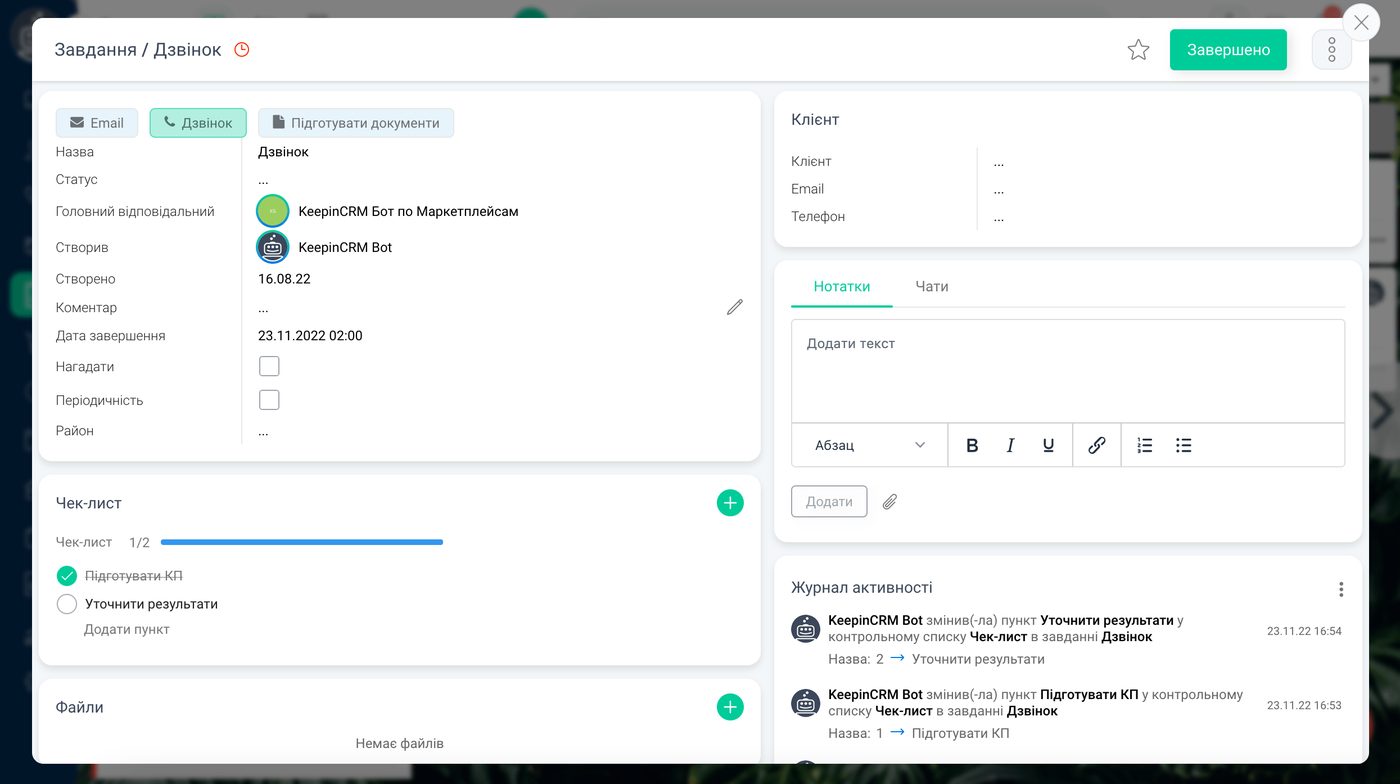
KeepinCRM is a trademark of its owner. CoreviaFlow is not affiliated with it unless stated otherwise. Screenshots are taken from public vendor materials; the source is shown under each one.